> For the complete documentation index, see [llms.txt](https://library.vsa.edu.hk/vsalibrary/llms.txt). Markdown versions of documentation pages are available by appending `.md` to page URLs; this page is available as [Markdown](https://library.vsa.edu.hk/vsalibrary/research/citing-sources/the-works-cited-list/pressreader.md).
# Citing from PressReader
{% hint style="danger" %}
You can't just paste the URL from PressReader into MyBib, or you will get a result like this. This doesn’t contain any information about the source - no author, no title, no magazine name. \
\
“PressReader.com - Digital Newspaper & Magazine Subscriptions.” [Www.pressreader.com](http://Www.pressreader.com), [www.pressreader.com/uk/top-gear-uk/20240403/page/12](http://www.pressreader.com/uk/top-gear-uk/20240403/page/12). Accessed 30 Apr. 2024.\
\
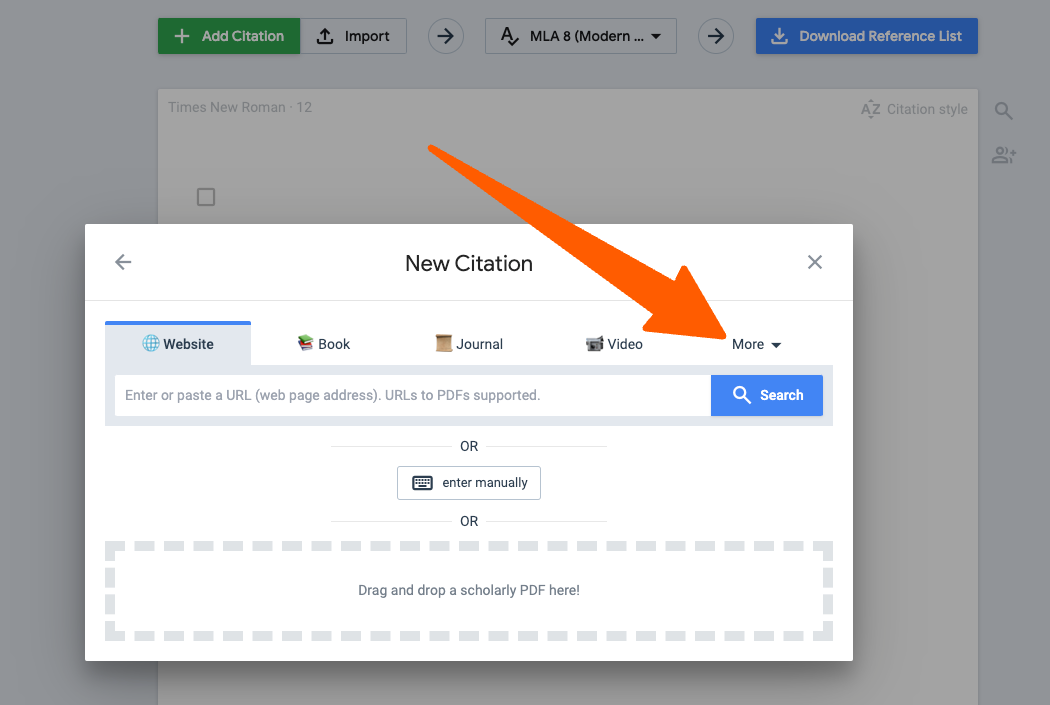
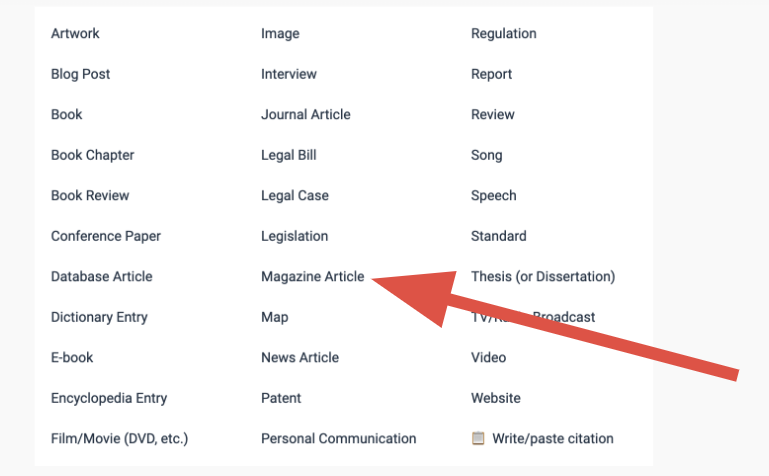
Follow the instructions below instead.
{% endhint %}
## Introduction
A reference for an article from PressReader should look like this:
{% hint style="info" %}
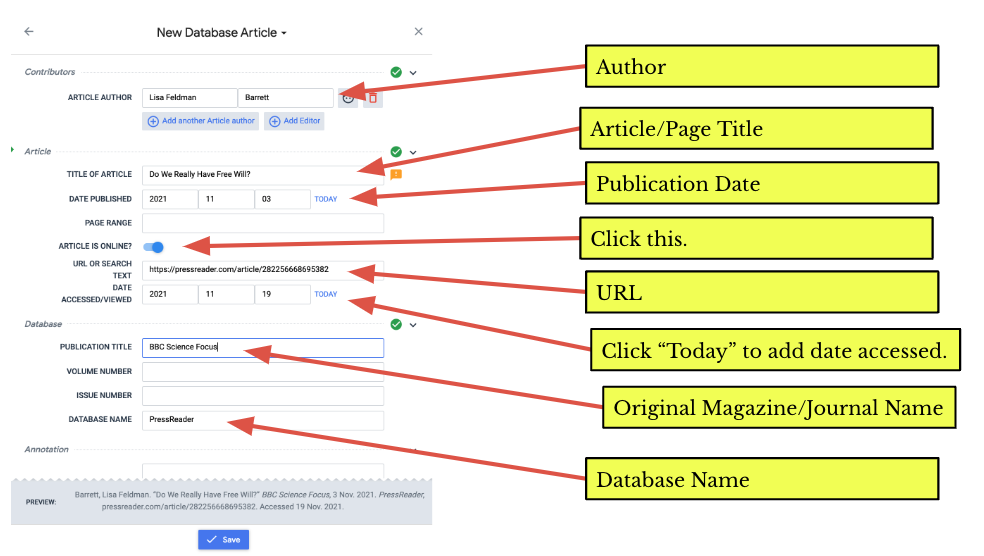
Ridgway, Andy. “How Dogs Can Help Us Live Healthier, Longer Lives.” *BBC Science Focus*, 25 June 2020, pp. 54–61. *PressReader*, pressreader.com/article/ 282432761399940. Accessed 28 Aug. 2023.
{% endhint %}
The basic structure is:
{% hint style="info" %}
Author’s Last Name, First Name. “Title of Article.” *Magazine Name*, Publication Date, Page Numbers. *PressReader*, URL (you can delete the http\:// bit). Date Accessed.
{% endhint %}
## Creating a reference using MyBib